How CGI Works in Movies: From Storyboard to Final Pixel
Understand the movie CGI pipeline from previs and modelling through animation, simulation, rendering, compositing and delivery systems.
By AUZtec Innovations
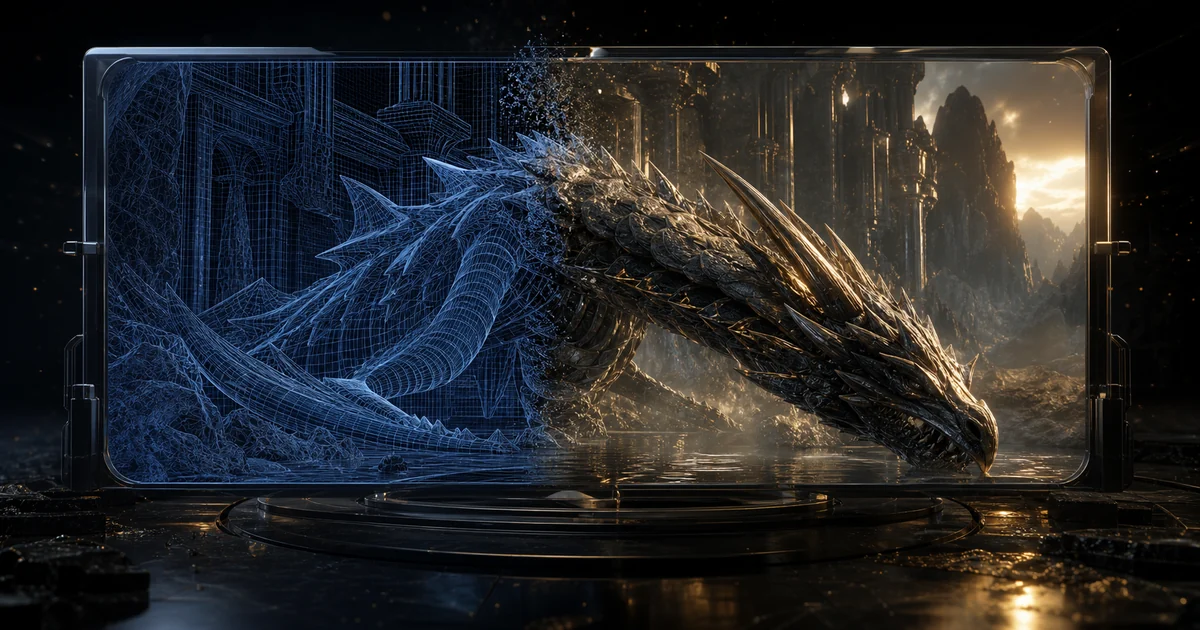
Movie CGI is created through a pipeline: planning the shot, building digital assets, animating and simulating them, lighting and rendering images, then compositing those images with live action. The spectacle depends as much on data, workflow and review software as on artistic tools.
Audiences are fascinated by how modern films combine physical and digital production. For technology businesses, the pipeline is also a clear example of complex project systems, cloud compute, asset databases, automation and human approval working together. The practical decision is therefore not whether the trend is exciting. It is whether a bounded use case can be delivered with clear ownership, evidence, acceptable cost and a safe fallback.
What the technology actually involves
Previsualisation
Teams explore shots, timing and camera movement before expensive production decisions become fixed. Translate that boundary into acceptance tests and an operational view before selecting a platform.
Asset creation
Modellers, texture artists and riggers build reusable characters, environments and objects with versioned dependencies. Record who owns the decision, which evidence is trusted and how an exception reaches a person.
Animation and simulation
Performance, cloth, hair, crowds, destruction and fluids are created or calculated under artistic direction. Test it with representative, incomplete and adversarial inputs instead of demonstrating only the ideal path.
Rendering and compositing
Compute produces image layers that compositors combine, colour and review against the final shot intent. Make the state visible enough that support teams can diagnose a failure without reading model reasoning.
Where it can create business value
1. Visualising an impossible environment or character
This is valuable only when it removes a real constraint in the journey. Establish a baseline first and compare the pilot with the current route on completion quality as well as speed.
2. Extending a practical set safely and consistently
This is valuable only when it removes a real constraint in the journey. Start with a bounded group and keep a manual path until the team has evidence across ordinary and exceptional cases.
3. Reusing approved assets across shots and formats
This is valuable only when it removes a real constraint in the journey. Connect the experiment to one commercial measure and one user-quality measure so activity cannot masquerade as value.
4. Automating review, transfer and compute around creative specialists
This is valuable only when it removes a real constraint in the journey. Make adoption voluntary at first, observe where people correct the system and feed those cases back into design.
These examples are starting points, not promised outcomes. Value depends on process volume, data quality, user adoption, integration effort and the cost of exceptions. Link the pilot to one business measure and one quality measure so speed does not hide rework.
Risks and controls to design early
- Unclear asset and shot ownership creating costly rework. Mitigate it with a preventive control, a measurable warning signal and a named incident owner.
- Render demand arriving too late for available capacity. Add a negative test and keep the resulting evidence in the release checklist.
- Colour, camera or metadata mismatches between departments. Assign the policy decision to an accountable person and enforce it outside probabilistic model output.
- Technology choices driving the story instead of serving it. Mitigate it with a preventive control, a measurable warning signal and a named incident owner.
Security, privacy, accessibility, employment, intellectual-property and sector obligations vary by context. Use qualified advisers for formal conclusions and keep the technical design capable of enforcing the resulting policy.
A practical implementation roadmap
- Define the first outcome. Begin with visualising an impossible environment or character and state what useful completion means for the affected user.
- Map the enabling system. Document previsualisation, asset creation, animation and simulation, rendering and compositing and the owner of every hand-off.
- Measure the current constraint. Capture time, error, delay, access and support effort before technology changes the route.
- Build a complete but bounded pilot. Include identity, logging, failure handling and a human route around unclear asset and shot ownership creating costly rework.
- Test the uncomfortable cases. Exercise render demand arriving too late for available capacity; colour, camera or metadata mismatches between departments; technology choices driving the story instead of serving it as well as successful use.
- Expand in controlled stages. Increase users, data, authority or capacity separately so a regression has a traceable cause.
- Review the operating model. Decide who owns changes, incidents, supplier coordination and periodic re-evaluation of how CGI works in movies.
This sequence aligns with AUZtec's approach to turnkey solutions, cloud devops, ui ux design. Where a conventional API, rules engine or well-designed interface solves the need more reliably, that should remain a valid outcome of discovery.
Questions to ask a technology supplier
- How will the proposed design improve visualising an impossible environment or character for the intended user?
- Which evidence proves that previsualisation works with our data and environment?
- How does the system prevent or contain unclear asset and shot ownership creating costly rework?
- Who can change asset creation, and how is that change reviewed?
- What happens when animation and simulation is unavailable, incorrect or incomplete?
- Can we export records, configuration, history and evidence in a usable format?
- Which tests will be rerun after a provider, model, interface or policy change?
- What will integration, support, training and usage cost after the pilot?
Implementation checklist
- Document previsualisation and its owner.
- Document asset creation and its owner.
- Document animation and simulation and its owner.
- Document rendering and compositing and its owner.
- Define measurable success, stop conditions and a manual fallback.
- Validate internal links, source rights, privacy and accessibility requirements.
- Include monitoring, incident response, recovery and supplier exit in the design.
- Re-evaluate after model, provider, data or workflow changes.
Related AUZtec guidance
Continue with virtual production led walls filmmaking, motion capture digital characters, cloud render farms vfx pipelines. These articles cover adjacent architecture, security and delivery decisions without replacing the specific decision owned by this guide.
Primary references
The decision to make now
Treat how CGI works in movies as a product and operating-model choice, not a novelty purchase. Start with a narrow outcome, design the control boundary before increasing autonomy, and keep evidence that allows leaders to compare benefit with total cost and risk.
AUZtec Innovations can combine turnkey solutions, cloud devops, ui ux design into one scoped delivery path. Tell us what you are trying to improve and we will help identify the smallest credible implementation.